
FAF Mode
Deeper voices require more processing time. Select the option closest to your voice to keep FAF latency as low as possible. (No effect on Low Latency mode)
Sound Suppression
Heads up: Turning these on increases audio delay. It may affect performance and is not recommended for speech therapy purposes.
A better way to reduce echo and background noise will be added in a future update. In the meantime, using headphones and finding a quiet environment can help.
Benchmark
Tests your device's real-time audio delay. Requires active session.
Latency breakdown
How many audio snapshots your device takes per second. Higher means better quality. Most devices use 44,100 or 48,000 Hz.
AudioContext.sampleRate. We pass the device's
native sample rate to the
AudioContext constructor to avoid internal
resampling, which adds latency. Mismatched rates (e.g.
context at 44.1 kHz, device at 48 kHz) trigger the browser's
SRC (sample-rate converter), adding 1–5 ms and reducing
audio quality.
How much audio your device processes in one step. Smaller means faster response but requires more from your CPU.
Derived from baseLatency × sampleRate. One Web
Audio render quantum is fixed at 128 frames per spec — all
AudioWorkletProcessor.process() calls handle
exactly 128 samples. At 48 kHz this equals 2.67 ms per
quantum. All scheduling snaps to quantum boundaries.
The built-in delay from your browser's audio engine. This is always present and cannot be reduced by app settings.
AudioContext.baseLatency — the
render-thread-to-hardware pipeline delay. Includes Web Audio
graph scheduling overhead. We pass
latencyHint: 0 to request the minimum; browsers
may still floor this at their hardware buffer size. Firefox
reports 0 (not implemented). Chrome typically reports 2–4 ms
on modern hardware.
Extra delay from your headphones or speakers processing the sound after it leaves the browser.
AudioContext.outputLatency — hardware output
buffer depth. Equals the OS audio driver's buffer size. On
macOS with wired headphones: typically 10–30 ms. Bluetooth
adds 40–300 ms depending on codec (SBC: 150–250 ms, AAC:
100–200 ms, aptX Low Latency: ~40 ms).
Delay from your microphone capturing sound before it reaches the app. Often unavailable — browsers don't always report this.
MediaStreamTrack.getSettings().latency —
self-reported by the browser/OS. Unreliable: Chrome returns
0.01 s (10 ms) as a fallback regardless of actual hardware;
Firefox omits it (n/a). Treat as an approximation. The true
input-to-buffer latency is hardware-dependent and not
exposable from JS.
Input latency is self-reported and may be inaccurate. If it accounts for a large share of your hardware floor, treat the total with caution.
Extra delay added by the pitch-shifting process when FAF is active. Varies by algorithm and voice type setting.
PSOLA mode:
2 × floor(sampleRate / pitchFloor) samples. Two
pitch periods of history are required so the YIN detector
can establish T₀ before synthesis begins. Reducing
pitchFloor (deeper voice) increases T_MAX and therefore this
latency. PSOLA is used when "High Fidelity" mode is
selected.
OLA mode:
ceil(GRAIN / R_MIN) + 1 = 428 samples (~8.9 ms
at 48 kHz). The +1 guards linear interpolation from reading
one sample past the write head at R_MIN = 0.6 (the minimum
pitch ratio reachable at ±8 semitones). OLA is used when
"Low Latency" mode is selected.
The total minimum delay your setup always adds — before your slider setting. Your actual heard delay = your slider value + this number.
k_sys in the DAF equation:
k_eff = k_user + k_sys. This is the irreducible
latency of your hardware/OS/browser stack. For therapeutic
DAF, k_sys should be < 20 ms. High k_sys (>40 ms)
pushes total round-trip above the therapeutic range even at
low slider settings.
Scheduler jitter
The ideal gap between each audio processing step. Your DAF delay can only change in steps this size.
128 / sampleRate × 1000 ms. Fixed by the Web
Audio spec. At 48 kHz: 2.67 ms. At 44.1 kHz: 2.90 ms. All
AudioWorklet.process() calls are scheduled this
far apart — in theory. The jitter measurements below reveal
how consistently your OS actually honours this.
The most the scheduler was ever early. Negative means it ran ahead of schedule.
Minimum value of drift samples. Drift =
Date.now() at process() − expected
wall time (anchored via currentFrame). Negative
values can result from Date.now()'s 1 ms
resolution causing quantization artefacts rather than
genuine early scheduling.
The worst single scheduling slip measured. A spike here usually means the OS briefly took the CPU for something else.
Maximum drift. A single large positive spike (e.g. >10 ms) indicates a CPU preemption event — the OS scheduler de-prioritised the audio thread for a garbage collection, I/O interrupt, or another app. Isolated spikes are less harmful than sustained high drift (see stddev).
The average timing offset. Should be close to zero on a healthy system.
Systematic bias of the audio thread. A persistent positive
mean indicates the thread is consistently behind schedule
(CPU overload or insufficient thread priority). A negative
mean usually reflects Date.now() coarsening
effects. Values within ±2 ms are normal.
95% of all measurements were within this range. More reliable than the max because it ignores rare one-off spikes.
95th percentile of |drift|. More robust than max for characterising typical worst-case behaviour — the max can be a single spike from an OS interrupt. p95 > 5 ms suggests the system cannot reliably meet real-time audio constraints under normal load.
How consistent the timing is overall. Lower is better. High jitter makes the DAF delay feel unsteady — your brain notices the variation.
Standard deviation of all drift samples — the canonical jitter metric. For DAF, jitter > 2 ms makes the therapeutic delay perceptually unstable: the brain detects inter-quantum timing variation and the chorus effect breaks down. Rating thresholds: <0.5 ms excellent · <1.5 ms good · <3 ms moderate · ≥3 ms high. To improve: close other tabs, use a dedicated browser profile, prefer Chrome/Edge over Firefox for audio worklets, and avoid Bluetooth devices.
To improve jitter: close other browser tabs, prefer Chrome, Edge, or Safari, and avoid Bluetooth devices.
Privacy-First: 100% On-Device Processing. All audio is processed locally on your device, never in the cloud.
If you experience significant latency even while using headphones, switching to a desktop computer or using Chrome/Edge/Safari browsers can reduce delay further. Our benchmarks show latency as low as 14ms on high-end PCs using Google Chrome, and 19ms on iPhone 16 using Safari.
How to Use This Tool Effectively
These tips are based on published clinical guidelines and speech motor research. Skip the ones that don't apply to your goal.
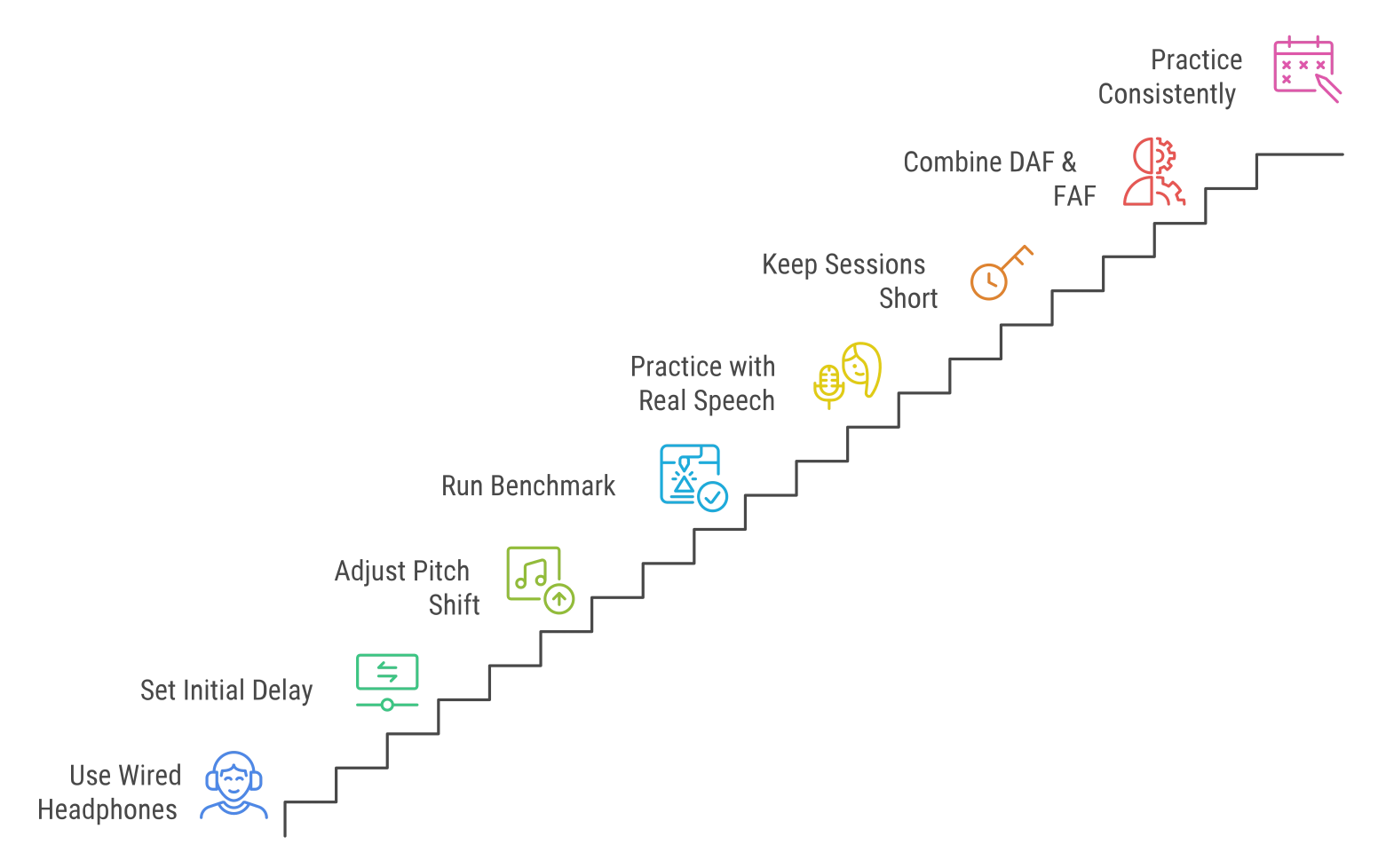
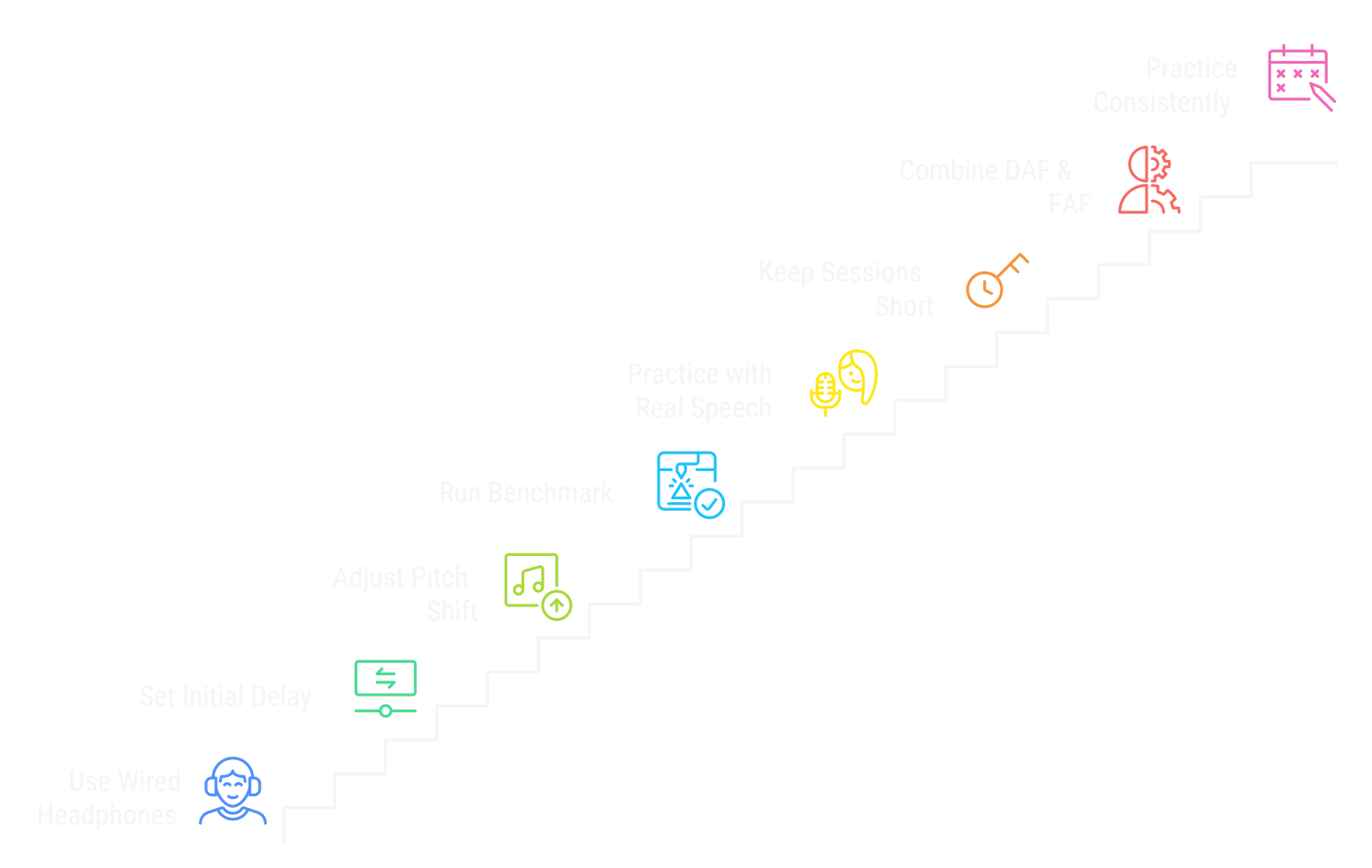
- Always use wired headphones. Bluetooth adds 100–300 ms of hardware latency on top of your chosen delay, making the total delay unpredictable and therapeutically ineffective. The entire point of the tool breaks down without this.
- Start with 150–200 ms of delay. Most people who stutter find their initial sweet spot somewhere in this range. Set it there first, then work downward in 20 ms steps once you feel comfortable. The goal is the lowest delay that still produces fluency, not the most dramatic effect.
- For FAF (pitch shift), start at 3–4 semitones. Shifts below 1–2 semitones are usually too subtle to trigger the choral effect reliably. The clinical sweet spot for fluency is 3–6 semitones (roughly a quarter to a half octave). Larger shifts (beyond 6 st) add minimal benefit and sound increasingly unnatural.
- Run the benchmark before your first session. Your hardware floor (the unavoidable system latency) is added on top of whatever you set. A device with a 30 ms floor and a 50 ms slider setting delivers 80 ms total. Open Advanced settings and run the benchmark to see where your floor is.
- Practice with real speech, not test sounds. Read a paragraph aloud, have a conversation with someone, or narrate what you're doing. The delayed feedback needs continuous speech to produce its effect. Isolated syllables don't generate the same neural response.
- Keep sessions short at first: 10–15 minutes. DAF is cognitively demanding in the early stages. Extended sessions before you adapt can cause fatigue and frustration. Build up gradually as the technique becomes more automatic.
- Try DAF and FAF together. Clinical devices like SpeechEasy combine both a time delay and a pitch shift simultaneously. The two mechanisms engage different neural pathways: DAF slows your rate and FAF triggers the choral effect. Used together, they tend to produce stronger fluency improvements than either alone.
- Consistency matters more than session length. Daily 15-minute sessions outperform occasional hour-long ones. The benefit of DAF and FAF builds through repeated exposure, not volume.
These tips are for informational purposes. If you stutter and are looking for structured treatment, work with a licensed speech-language pathologist (SLP) (opens in a new window) who can calibrate settings to your specific profile.
What is Delayed Auditory Feedback (DAF) for Stuttering?
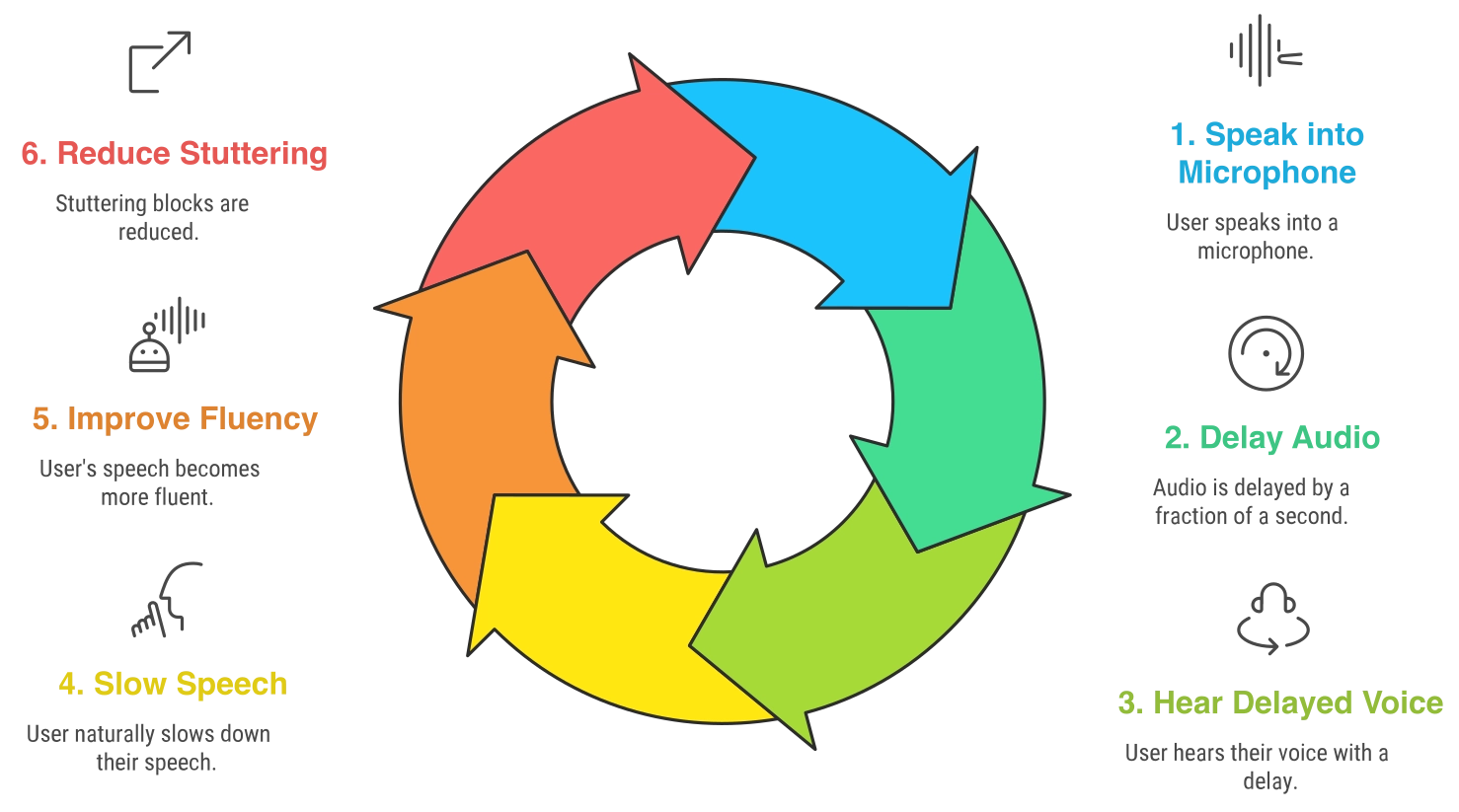
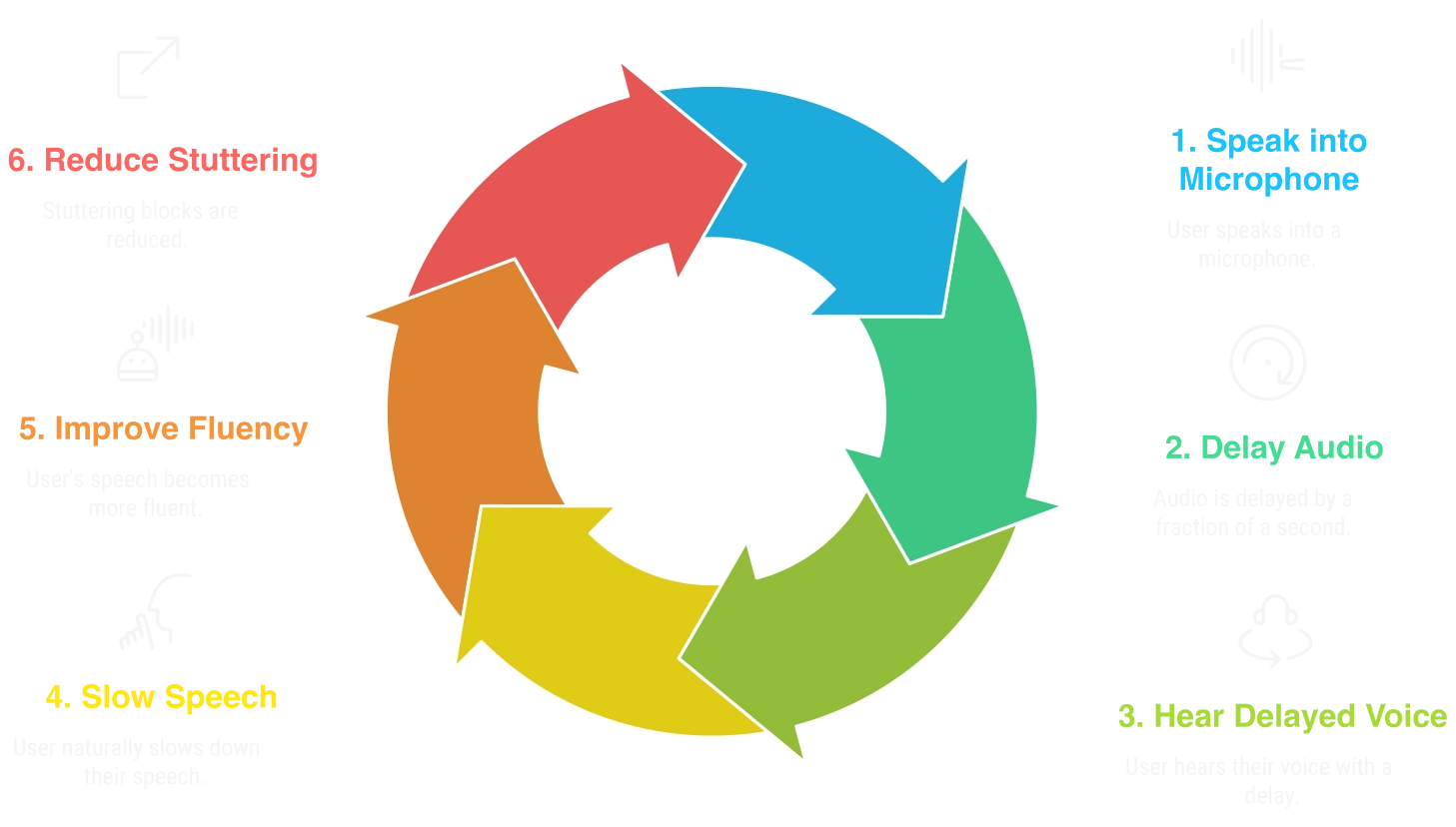
If you've ever worn headphones while speaking and heard your voice played back with a slight delay, you've experienced what DAF feels like. Delayed Auditory Feedback is a form of altered auditory processing where you hear yourself speak a fraction of a second later than normal. The same technology shows up in "Speech Jammer" demos, where it's used to disrupt fluent speakers for fun. This app points it in the opposite direction: it's built as a therapeutic tool for fluency training and speech rate control.
That small delay naturally encourages you to slow down. For people working on stuttering, the effect can be significant. Speech-Language Pathologists have used DAF for decades as an evidence-based fluency shaping technique (opens in a new window). Research backs it up as a fluency aid for many people, though how much it helps varies from person to person.
We built this so anyone could access a non-pharmacological speech aid without downloading software, creating an account, or entering payment details. The tool also includes Frequency Altered Feedback (FAF), which shifts the pitch of your voice in your headphones to engage the brain's choral effect alongside the delay. More on how FAF works below.
Medical Disclaimer: This app is an informational and practice tool, not a substitute for professional medical advice, diagnosis, or treatment. If you have significant concerns about stuttering, please talk to a qualified speech-language pathologist (SLP) or licensed healthcare professional.
How does Auditory Feedback work in this DAF Tool?
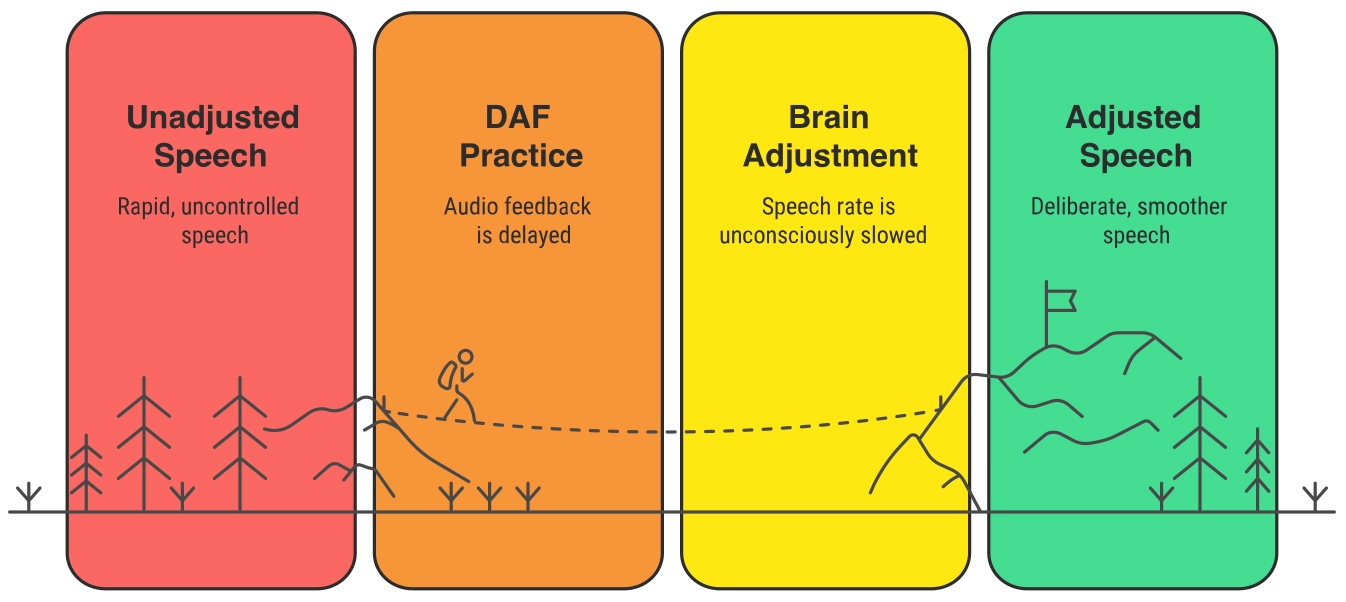
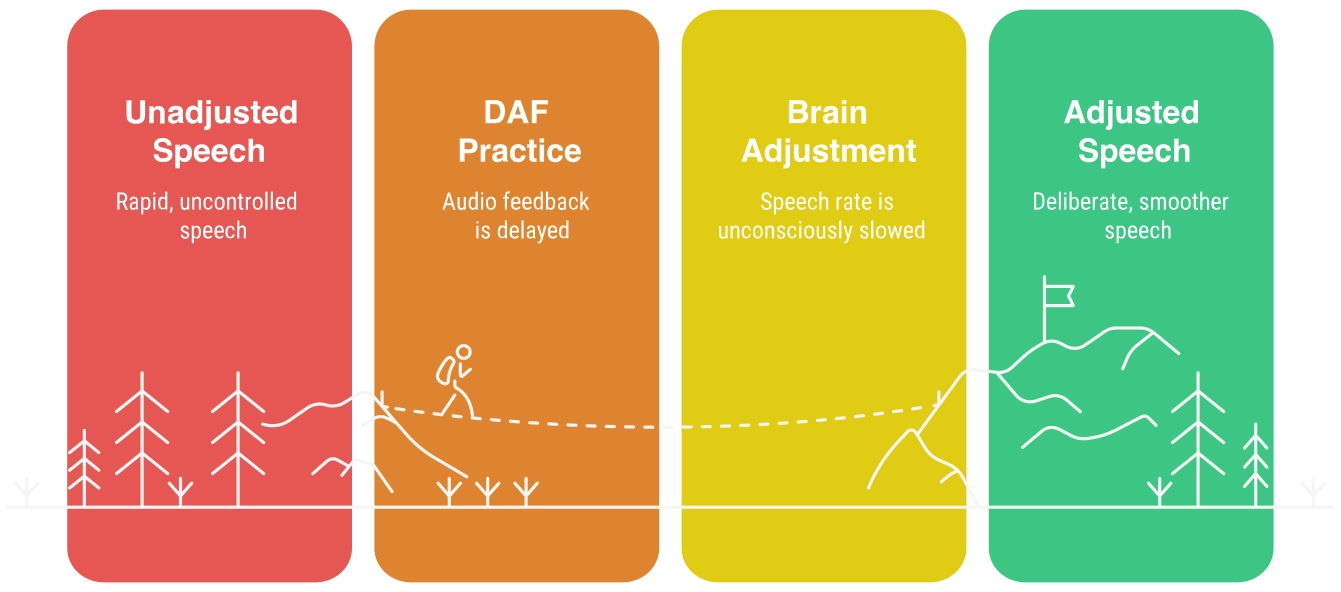
Normally your brain hears your voice the instant you speak. DAF introduces a delay of 20 to 500 milliseconds. Once your brain picks up on the timing gap, you unconsciously pull back your speech rate, which gives the motor-planning system more time to work. Clinical studies tend to find the most consistent results in the 50 to 200 ms range, though where your personal sweet spot lands will take some experimenting.
Why Use This Online Stuttering Aid?
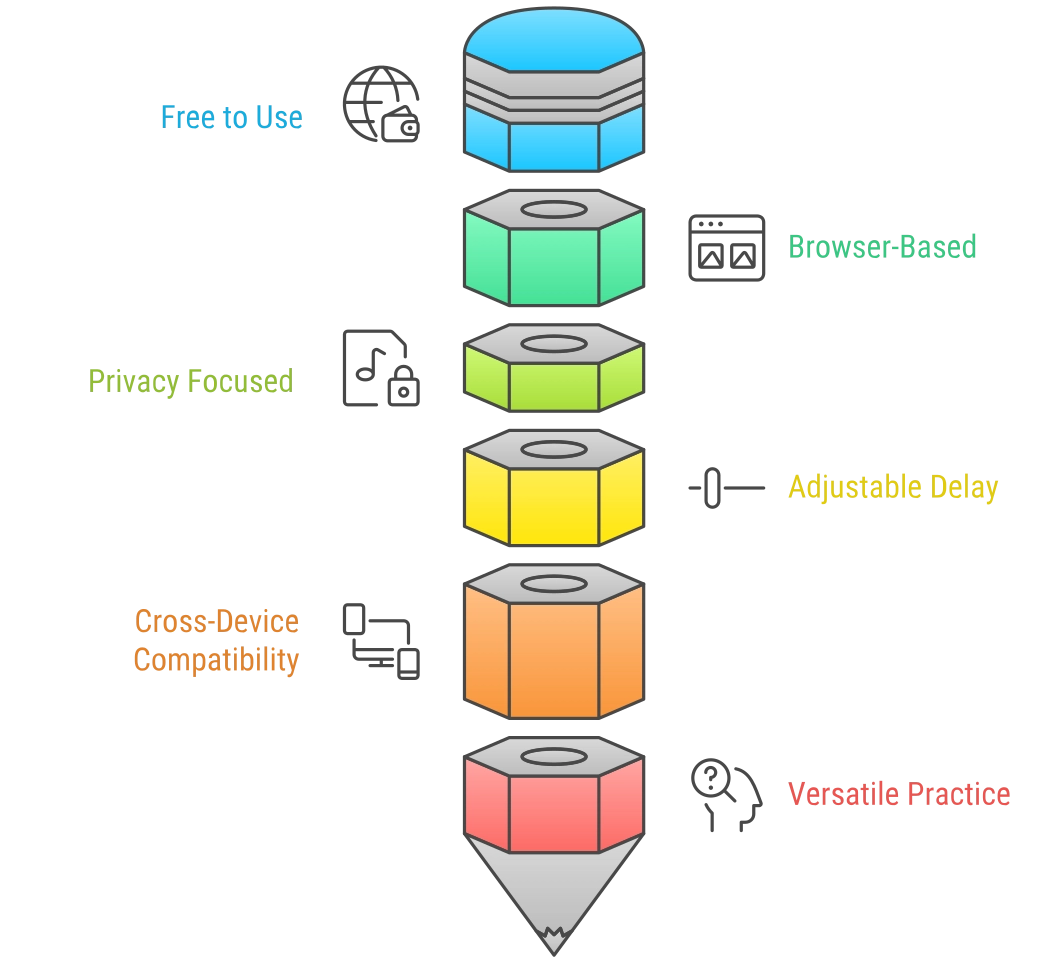
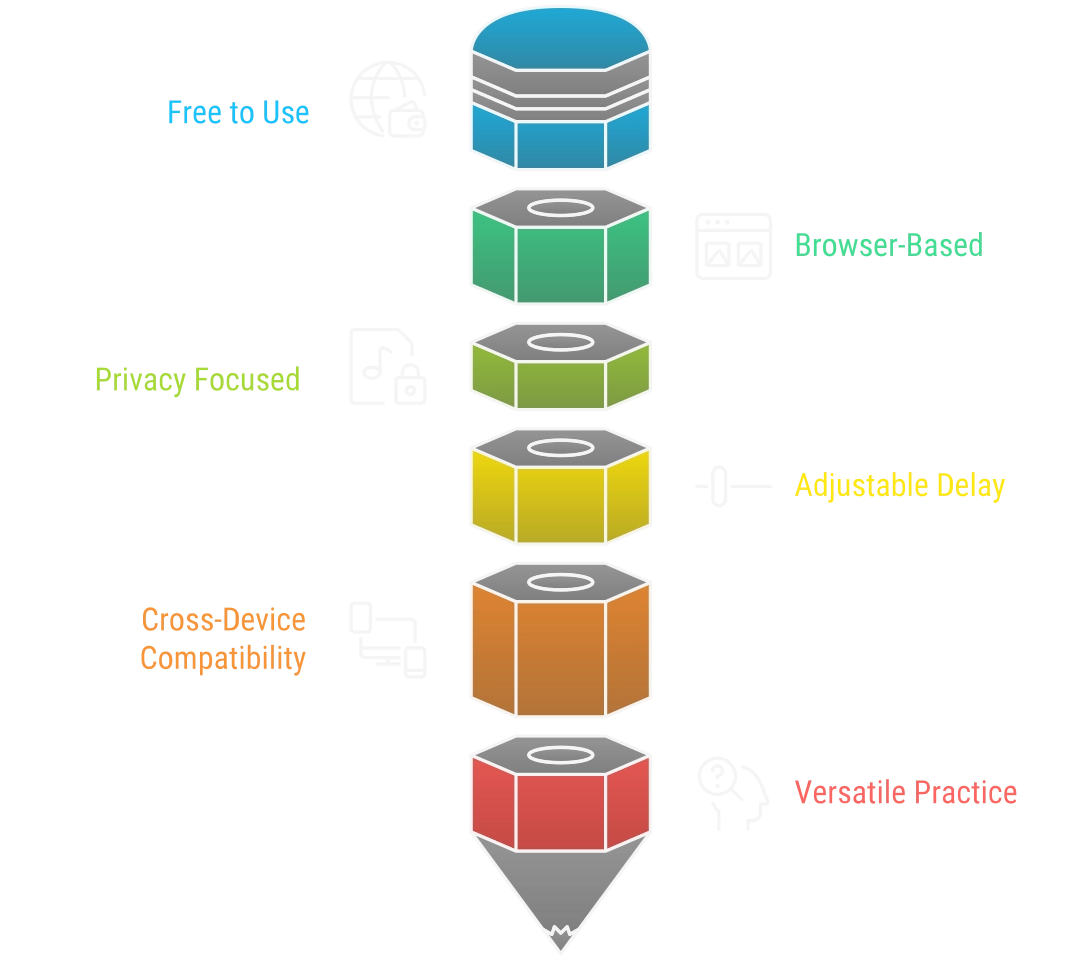
This free DAF tool runs entirely in your browser as a web-based online stuttering aid, so there's nothing to install and nothing to pay for.
- Free with no premium paywalls.
- Works in your browser on mobile, tablet, or desktop.
- 100% private: your audio never leaves your device.
- Adjustable delay from 0 to 500 ms.
- Suitable for home practice or in-clinic speech therapy sessions.
Try it now and see what delay setting works best for you.
How DAF and FAF Work
DAF and FAF each do something different to the audio signal you hear in your headphones. DAF (Delayed Auditory Feedback) changes when you hear yourself. FAF (Frequency Altered Feedback) changes what pitch you hear. They act on separate parts of the auditory-motor system, which is why clinical devices like SpeechEasy have always combined both rather than picking one.
DAF: Why the Delay Helps
When your brain picks up a gap between the moment you speak and the moment you hear yourself, it pulls back your speaking rate automatically. That extra time gives the motor-planning system room to run slightly ahead of your articulators, which reduces the timing errors behind stuttering blocks and repetitions. Most clinical work finds the effect kicks in clearly somewhere in the 50 to 200 ms range, though that varies quite a bit between people. Start higher and work down until you find what feels most natural.
FAF: The Choral Effect
Frequency Altered Feedback shifts the pitch of your voice in your headphones by a few semitones. The shift is small enough that your brain still recognises the voice as yours, but noticeable enough to trigger something called the choral effect.
People who stutter often speak fluently when they sing or talk in a group. In those situations the brain stops relying as heavily on its own internal feedback loop and settles into a more rhythmic, shared motor pattern. FAF mimics that state without anyone else in the room. A pitch shift of 3 to 4 semitones is a good starting point. Below about 2 semitones the brain barely notices; above 6 the voice starts sounding unnatural and the fluency benefit starts to flatten out.
| Goal | Range | Notes |
|---|---|---|
| Stuttering therapy | 3 to 6 semitones | Quarter to half octave. Studies report roughly 35% fluency improvement at 3 semitones and 65 to 70% at 6. The gains level off after that and the voice sounds increasingly artificial. |
| Up or down? | Either direction | No consistent clinical edge for one over the other. Try both and go with whichever produces better fluency for you in practice. |
For Researchers and Clinicians: Pitch-Shift Reflex (PSR)
When a FAF device introduces an unexpected pitch shift mid-utterance, the brain detects the mismatch between predicted and received auditory feedback and fires a rapid motor correction. This Pitch-Shift Reflex has a latency of 50 to 150 ms, peaks around 200 to 400 ms, and produces a compensatory counter-shift of roughly 20 to 40 cents (about 20 to 40% of the original perturbation).
For PSR experiments, shifts in the 50 to 200 cent range (0.5 to 2 semitones) work best. Small enough that the brain treats the shift as an accidental pitch drift from the speaker's own voice, which is what causes the reflex to fire. Larger shifts get categorised as an external sound rather than self-produced speech, and the compensatory response doesn't happen. The app's Cents mode goes to plus or minus 300 cents specifically to cover this experimental window.
Abnormalities in PSR latency, magnitude, or direction are used as biomarkers for Parkinson's disease, DLPFC lesions, and stuttering pathology.
Key references: Kalinowski et al. (1996), JSHR (opens in a new window) Natke et al. (2001), Fluency, fundamental frequency and speech rate under frequency-shifted auditory feedback (opens in a new window)
Is This Just a Speech Jammer?
"Speech Jammer" is the informal name for delayed auditory feedback used as a party trick or demonstration: play someone's voice back at a delay and watch them lose the ability to speak normally. The underlying technology is exactly what this app uses. The difference is what it's for. A speech jammer is pointed at fluent speakers to temporarily break their fluency. This tool is pointed at people who stutter to help build it. If you searched for a browser-based speech jammer and landed here, you've found the same thing, just with a more useful purpose behind it.
Who Can Benefit from DAF?
DAF supports anyone aiming to enhance speech clarity and rhythm.
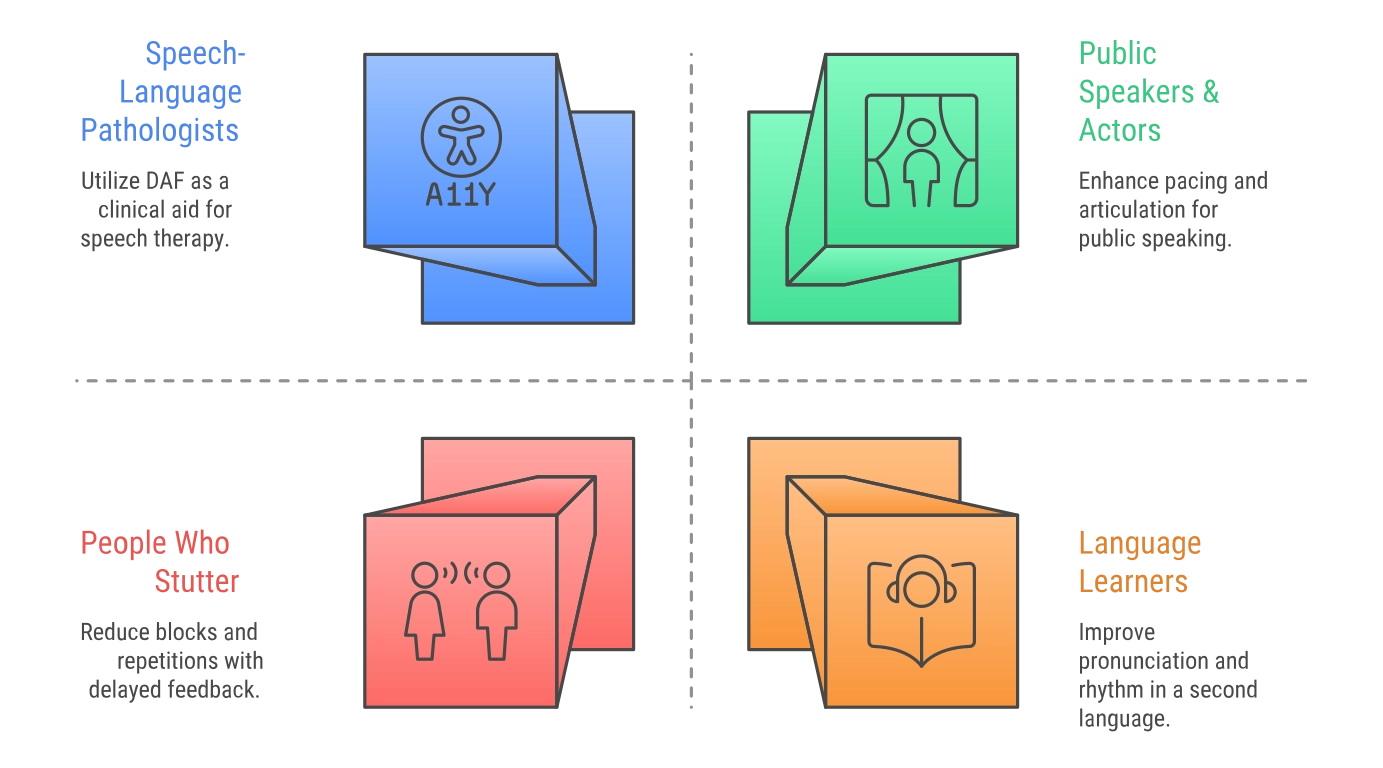
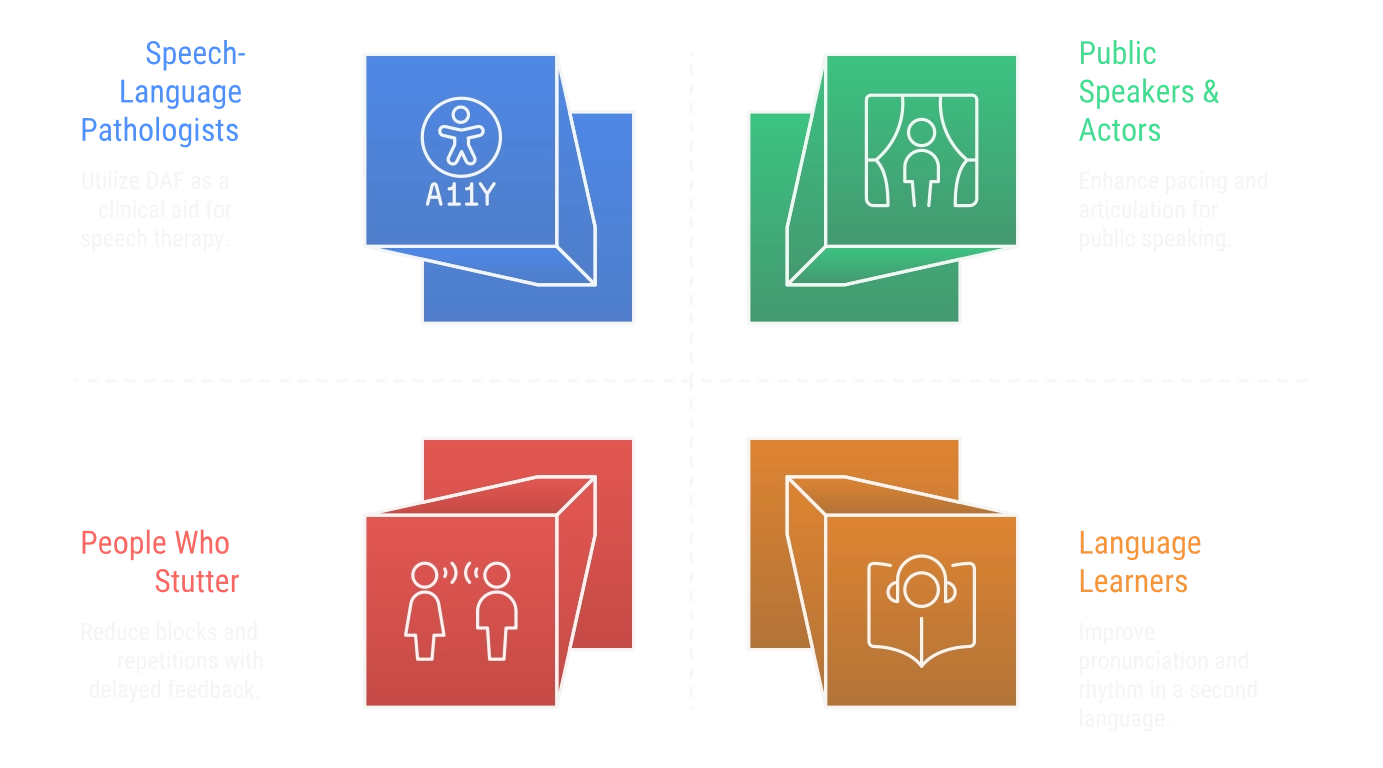
People Who Stutter
DAF's most well-documented use is reducing stuttering blocks and repetitions. By providing a slightly delayed version of your own voice, DAF helps compensate for timing discrepancies in the brain's auditory feedback loop. This creates a "choral-speech" effect, allowing fluency to emerge naturally during practice sessions. Results vary by individual; we recommend a trial period to see if your speech profile responds to DAF.
Parkinson's Disease & Hypokinetic Dysarthria
Parkinson's often causes speech to become quiet, rushed, or "festinating" (where words trip over one another). DAF can act as an external pacemaker, encouraging a slower rate so each syllable remains distinct. Some users involuntarily raise their vocal loudness in response to the delayed feedback. This is a compensatory reaction to the altered auditory timing, distinct from the Lombard Effect, which is triggered by background noise rather than delayed feedback. This incidental loudness increase may help counter the reduced vocal intensity common in hypokinetic dysarthria. Some studies and clinicians suggest shorter delays may be better tolerated for this population, but evidence varies; consult the literature (for example, Lowit et al.) and consider individualized tuning.
Cluttering (Tachyphemia)
Unlike stuttering, cluttering often involves a "reduced self-monitoring" of speed, where syllables collapse and words run together. Hearing your voice played back at 150 ms makes it nearly impossible to ignore a rapid rate. Combined with techniques like syllable tapping, this tool serves as a real-time external monitor to help "un-collapse" your speech during therapy.
Speech-Language Pathologists
For SLPs, this tool is telehealth-ready and privacy-conscious. You can share the link with clients for home practice or pull it up in-session without installation. Because all audio processing happens locally via the Web Audio API, sensitive client audio stays on their device. It bridges the gap between clinic visits with a free, evidence-based tool that supports long-term adherence.
Public Speakers & Language Learners
Slowing down with DAF provides a "pacing mirror" for articulation and rhythm. While the most dramatic effects occur while wearing the headset, the heightened awareness helps users build a mental template for a more deliberate, professional cadence that they can carry into their daily lives.
The Science Behind DAF
Delayed Auditory Feedback isn't new. It was first studied in 1950 (Lee, 1950); see reviews and classic summaries such as Fairbanks (opens in a new window) and later reviews for historical context. Early work noticed that when people who stutter heard their own voice on a tiny delay, their speech often cleared up instantly.
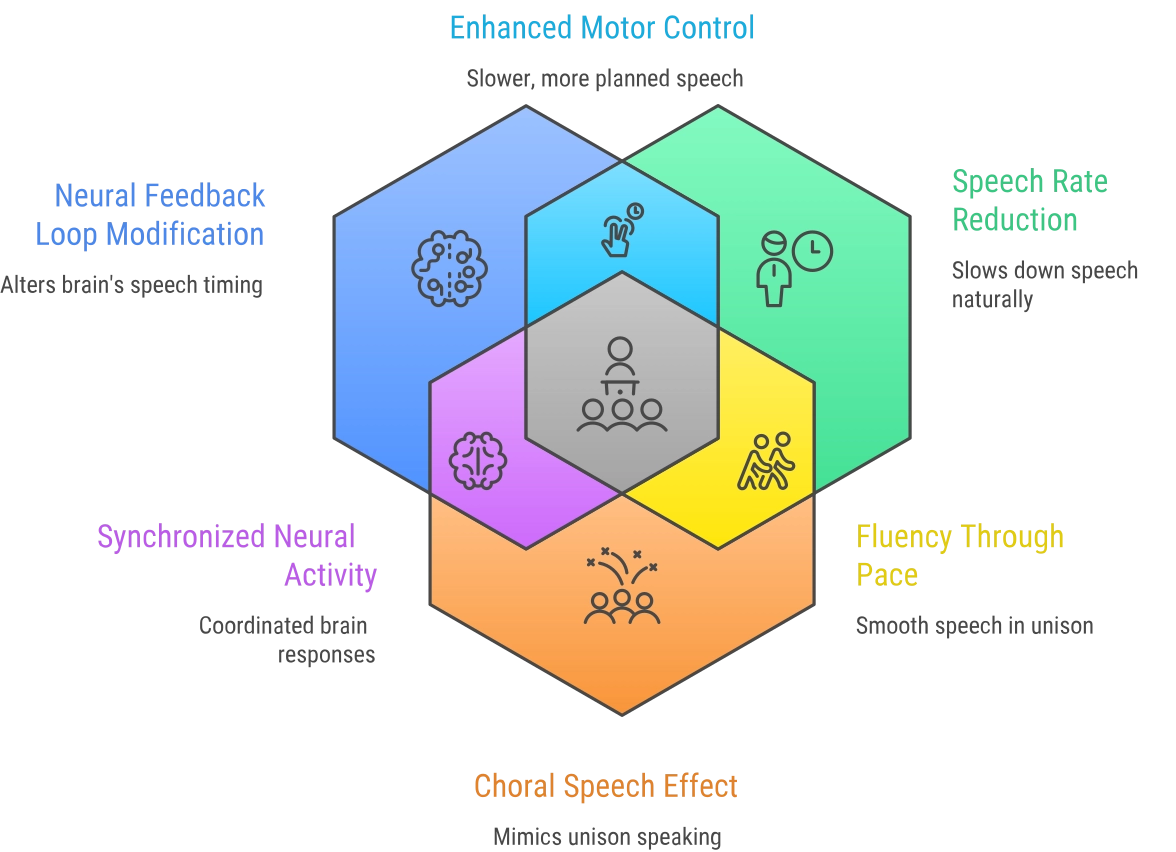
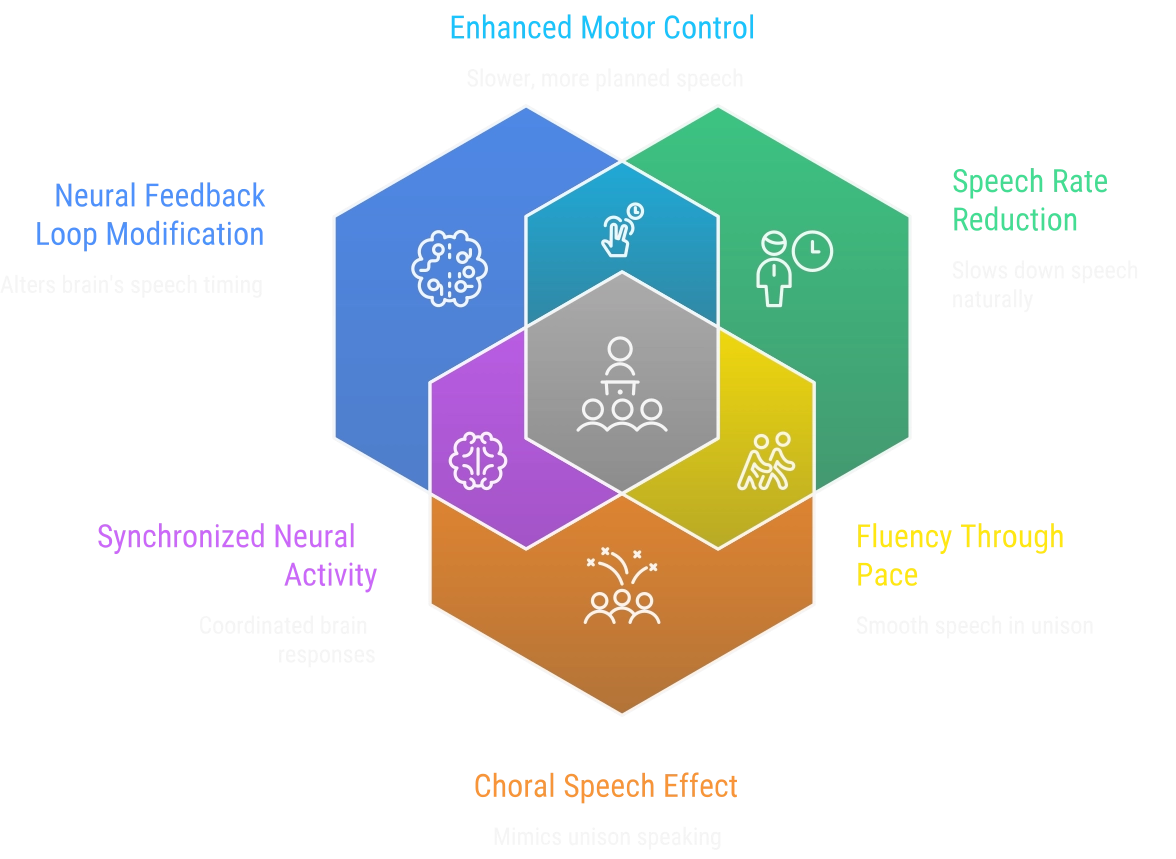
Modern science has given us a better look at why this actually happens:
Fixing the "Feedback Loop"
Stuttering is often linked to how the brain processes its own speech timing. DAF shifts that timing and may change how auditory and motor systems interact, encouraging greater reliance on internal planning mechanisms. Research on speech motor control shows this can reduce disfluencies for some speakers. See stuttering-specific neuroimaging and behavioral studies in the resources for more detail.
The Natural Slow-Down
It's almost impossible to speak fast when you hear your voice trailing behind you. This app naturally encourages Speech Rate Reduction (opens in a new window). By slowing down, you're giving your brain extra milliseconds for speech motor planning, which can reduce disfluencies. Similar rate-reduction effects have been reported in Parkinson's-related speech disorders, though optimal delay settings may differ.
The "Choral Speech" Effect at Normal Rates
Two related fluency-inducing conditions are singing and choral speech (speaking in unison). Singing alters pitch and rhythm, while choral speech provides an external model/second-voice; both reliably reduce stuttering but likely via partly different mechanisms. Choral speech in particular can reduce stuttering by roughly 90–100% in many reading tasks.
Delayed Auditory Feedback returns an altered version of the speaker's voice and can mimic some aspects of the choral effect, but DAF typically produces more moderate reductions in stuttering than true choral speech. Lab reading studies such as Kalinowski et al. (1993) and the later Kalinowski, Stuart, Sark, & Armson (1996) report substantial DAF effects at normal speech rates (see the Resources section). Those studies are controlled reading tasks rather than demonstrations of natural conversational choral speech.
While the science is solid, everyone's brain is wired differently. Some people see a huge change immediately, while others use it as a secondary app. It's always best to use this as one part of a bigger plan with a qualified speech therapist.
What Users Are Saying
"This app helped me slow down and speak more clearly. I use it before every presentation."
– Alex R.
"As a speech therapist, I recommend this to clients who need at-home fluency practice."
– Dr. L. Moreno
Frequently Asked Questions (FAQ)
What should I read while using the DAF app?
Anything works, but keep it simple. The goal is to focus on speaking clearly while listening to the delayed feedback, not to parse difficult text. Short passages, children's books, or just narrating what you're doing all work well.
What delay time should I use for stuttering?
Most people who stutter find their starting point somewhere between 50 and 200 milliseconds. Start at 200 ms and work downward in small steps until you find the delay that produces the smoothest speech. There's no universal answer, so give yourself time to experiment.
How long should I practice with DAF each day?
Start with 10 to 15 minute sessions, two or three times a day. Once it starts feeling more automatic you can extend to 20 or 30 minutes. Consistency matters more than total time. Short daily sessions tend to produce better results than the occasional longer one.
Why should I avoid Bluetooth headphones with DAF?
Bluetooth adds its own layer of latency on top of whatever delay you set in the app. Depending on the device and codec, that can be anywhere from 40 ms to well over 200 ms, and it's not consistent. Since precise timing is what makes DAF work, that unpredictability undermines the whole thing. Wired headphones are more reliable.
What should I do if I hear an echo or feedback loop?
This happens when the delayed audio from your speakers gets picked back up by your microphone. The fix is simple: switch to headphones. That keeps the delayed audio in your ears rather than back in the room where the mic can catch it.
Is my audio data recorded or sent anywhere?
No. All processing happens locally in your browser. Nothing is recorded, stored, or sent to any server. Your audio stays on your device.
Is the app free to use?
Yes, completely free. No account, no subscription, no hidden fees.
Can DAF help with stuttering?
Research shows it can help significantly for many people. The delay encourages slower, more deliberate speech, which tends to reduce blocks, repetitions, and prolongations. How much it helps varies from person to person, so it's worth trying a few sessions before drawing conclusions.
Is this app as effective as expensive DAF devices?
The core functionality is the same. The main practical difference is that dedicated devices are wearable, so you can use them throughout the day. This app needs a computer or phone with headphones. For practice sessions and therapy exercises, it works just as well.
Does DAF work on mobile phones and tablets?
Yes, it works on most modern smartphones and tablets. Use Safari on iOS or Chrome on Android for the best results. You'll need to grant microphone access when the browser asks.
Can speech therapists use this DAF app with clients?
Yes. It's been used for in-clinic demonstrations, telehealth sessions, and as a home practice tool between appointments. Because audio processing is local, sensitive client audio stays on their device. There's nothing to install on either end.
What browsers support the DAF app?
Chrome, Firefox, Edge, and Safari all work. The latest version of any of those should be fine. Chrome and Edge tend to give the most consistent audio processing performance.
Can DAF help with other speech disorders besides stuttering?
It's been used with cluttering, speech apraxia, Parkinson's-related speech issues, and articulation disorders, and some language learners use it to work on speaking rhythm and pronunciation. The slowed rate it produces builds more awareness of articulation generally.
Is DAF therapy scientifically proven?
Yes. DAF has been studied since the 1950s and there's substantial peer-reviewed evidence supporting its use as a fluency technique. It's one of the more established assistive tools in speech therapy.
Can I use DAF during video calls or online meetings?
It's technically tricky because both apps compete for the microphone at the same time. A more practical approach is to use DAF for a session before the call to warm up, rather than trying to run both simultaneously.
Will DAF cure my stuttering permanently?
No, and it's worth being clear about that. DAF helps manage stuttering while you're using it, and regular practice can improve general speech control over time. But it's a management and practice tool, not a cure. It works best as one part of a broader approach, ideally alongside work with a speech-language pathologist.
Found this helpful? Let us know!
Start Your Speech Fluency Practice
Ready to begin? Start a free session. Try DAF alone first, then experiment with adding a 3–4 semitone FAF shift for the combined choral effect. Most people notice a difference within the first few minutes.
Research & Evidence-Based Resources
The use of Delayed Auditory Feedback (DAF) is supported by decades of clinical research. These citations provide the evidence for the Science behind DAF explained above. Below are key resources and studies for speech-language pathologists and researchers seeking primary sources.
Clinical Research & Studies
- DAF (Kalinowski et al., 1993): Kalinowski, J., Armson, J., Roland-Mieszkowski, M., Stuart, A., & Gracco, V. (1993). Language and Speech, 36, 1–16, which reported an approximately 72% reduction in stuttering during oral reading at normal speech rates. A later paper from the same group is: Kalinowski, J., Stuart, A., Sark, S., & Armson, J. (1996). European Journal of Disorders of Communication, 31, 259–269, which also examined DAF effects.
- Parkinson's Disease: Research published in the Journal of Medical Speech-Language Pathology (Lowit et al.) suggests that DAF is an effective tool for rate reduction in hypokinetic dysarthria (opens in a new window).
- Neural Mechanisms: The "Dual-Stream Model" (Hickok & Poeppel; see foundational work in 2000 and 2004, and their 2007 review (opens in a new window)) describes the dorsal stream role in auditory-motor integration. Hickok & Poeppel do not discuss DAF specifically; other researchers have proposed that altered auditory feedback may influence these auditory-motor pathways; see the neuroimaging and stuttering-specific studies in the Resources section for citations.
Professional Organizations
- The Stuttering Foundation: (opens in a new window) The leading resource for community support, educational videos, and therapy guides.
- ASHA (American Speech-Language-Hearing Association): (opens in a new window) The professional standard for diagnosis and clinical treatment protocols.
- NIDCD (National Institute on Deafness): (opens in a new window) Comprehensive fact sheets on the latest medical research regarding speech disorders.
Cite This Work
If you use DAF Online in your research, clinical work, or publication, please cite it using one of the formats below.
Skip citation blocksKoray Ulusan. (2026). DAF Online: Free browser-based Delayed Auditory Feedback tool for speech therapy [Web application]. https://korayulusan.github.io/delayed-auditory-feedback-online/@misc{ulusan2026dafonline,
author = {Koray Ulusan},
title = {{DAF Online}: Free Browser-Based Delayed Auditory Feedback Tool for Speech Therapy},
year = {2026},
url = {https://korayulusan.github.io/delayed-auditory-feedback-online/},
note = {Web application},
howpublished = {\url{https://korayulusan.github.io/delayed-auditory-feedback-online/}}
}